Article
licenses and software
Using Microsoft 365 Admin Center: Tools and Best Practices
The Admin Center is a web-based tool that allows administrators to manage user accounts and configure settings for Microsoft 365 services such as Exchange and SharePoint. This includes resetting passwords, configuring anti-spam rules, and assigning user licenses.
Why Admin Center? Compared to the traditional management model
Why do so many organizations choose Microsoft services? There are several reasons.
Security
Microsoft is one of the largest corporations in the world, dominating the technology market. The 365 family of applications has numerous built-in security features. Automatic detection of malicious emails, multi-factor authentication, and advanced encryption algorithms are features that would be resource- and time-consuming to implement on your own. Furthermore, thanks to the Admin Center, we can manage all of this from a single dashboard, significantly simplifying security management within your company.
Flexibility
A rarely appreciated yet crucial aspect of Microsoft is scalability. Organizations can add or remove licenses, services, or products on an ongoing basis, depending on their needs. However, as an organization grows, the complexity of managing it does not increase proportionally, due to the centralization of all management aspects in one place. Traditional management approaches require the preparation of new licenses, programs, and hardware before new employees or services arrive at the company. The Admin Center allows for ongoing management of these aspects, significantly simplifying the implementation of new solutions.
The administration panel also offers a variety of synchronization options with other services, such as Azure or traditional Active Directory.
Cost and reliability
Maintaining even your own server room can be expensive. Consideration must be given to the costs of renting the premises, energy, maintenance, and hiring an administrator to manage the server room. Nevertheless, it will still be a single room in a single, specific location on Earth. A power, internet, or hardware outage can mean hours of downtime. Microsoft, with its administration tool, ensures consistent operations and a relatively low cost of ownership.
Admin Center integration with Azure AD and traditional Active Directory.
If you already have user accounts in Active Directory (AD DS), you don't need to recreate them in Microsoft 365, which could lead to errors or differences between environments. Active Directory synchronization allows you to integrate these accounts between your on-premises and online environments. This saves users from having to remember new information for each environment, and saves you from having to create or update accounts twice.
How to synchronize your Microsoft environment with your on-premises Active Directory?
This is achieved using a tool called Microsoft Entra Connect, formerly known as Azure AD Connect. This tool integrates Active Directory services with Microsoft services. To synchronize, download Entra Connect from the Microsoft website. Once launched, the program will guide you through all the configuration steps. This is an easy and secure way to integrate your desktop and online environments.
Microsoft 365 Admin Center Interface Components
Users
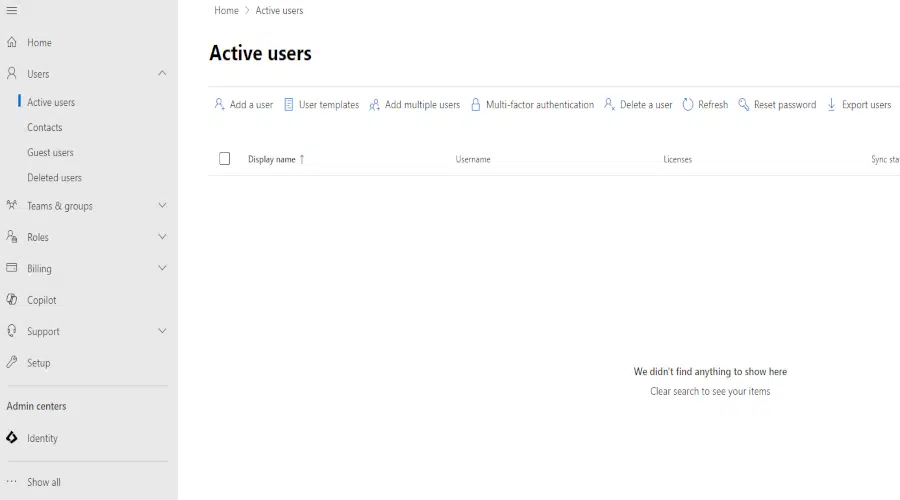
One of the most popular tasks for Office 365 administrators is user management. The "Active Users" subcategory contains a complete list of active users. Selecting a specific user opens an additional panel.
From this level, administrators can perform various operations, such as resetting passwords, attaching and unattaching licenses, and managing user group memberships.
The "Contacts" and "Guest Users" tabs allow you to create email addresses for external users. This allows you to easily manage contacts from outside the organization.
Clicking the "Deleted Users" tab displays a list of users who have been deleted. This allows administrators to quickly view and manage accounts that have been deleted from the system.
Groups
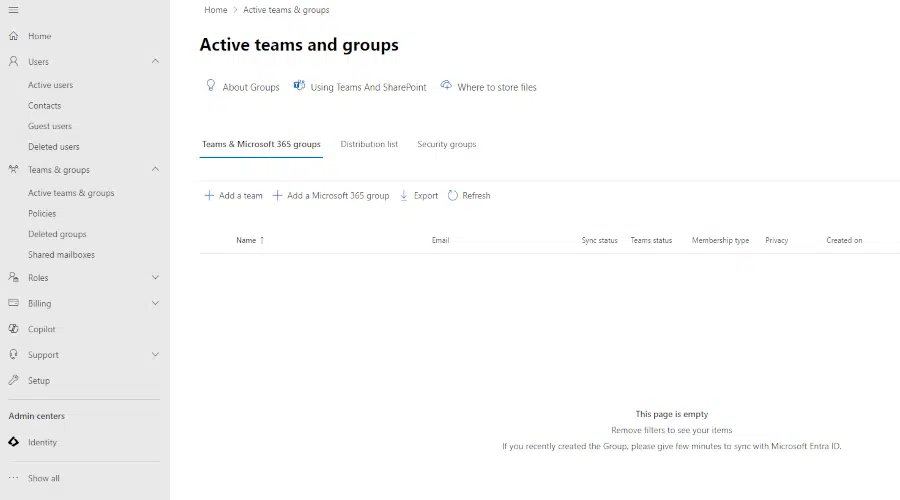
With the "Groups" option, you can configure groups, distribution lists, and shared mailboxes in Microsoft 365. As the number of users in a company grows, it's a good idea to divide them into groups, for example by work location or department.
Roles
The Microsoft 365 Admin Center allows a global administrator to assign different administrative roles to other users. This is especially useful for companies with multiple employees and departments. For example, you can designate an Exchange service administrator and a licensing administrator, allowing for more efficient management of resources and responsibilities.
Resources
The "Resources" option allows you to manage resources. These resources include websites, computer equipment, and conference rooms. This tab allows you to precisely plan your meetings. You can use it to reserve a room, projector, and other necessary equipment for your conference. This significantly facilitates effective time and resource management.
Billing
The "Billing" section allows you to effectively manage your subscriptions and finances. This feature allows you to view key information about your licenses, purchase additional Microsoft services, and check payment details. This is a crucial panel that allows you to easily review your Microsoft service costs.
Setup
The "Setup" tab makes it easy to get started with the Admin Center. It contains a list of tasks divided into categories. From here, you can, for example, set up Active Directory synchronization, configure multi-factor authentication, or set permissions for individual administrators. It's a list worth reviewing to ensure that all key services and configurations have been included.
Reports
The "Reports" section allows you to monitor how users in your organization use Microsoft 365 services. You can generate detailed reports on app usage over time and observe usage trends. These reports help identify users who may not be fully utilizing their licenses or are approaching storage limits, for example, on OneDrive.
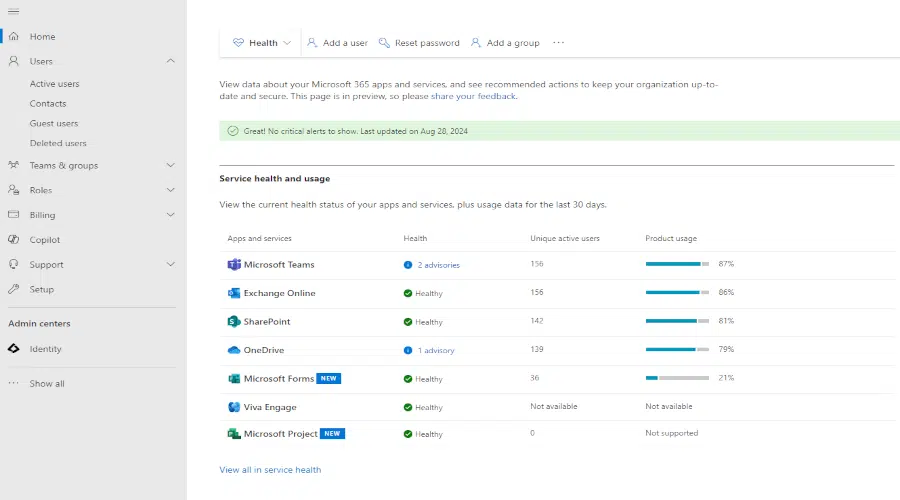
Health
The "Health" tab provides information about the health and technical status of your Microsoft services. It lets you learn about known issues and planned Microsoft maintenance.
Admin Centers
The last tab is "Admin Centers." There you'll find administration centers for specific Microsoft 365 services. These include:
- Security – Security Center. Allows you to set up spam filters, among other things.
- Identity (entra) – allows you to configure Azure AD. Allows you to set multi-step verification for users.
- Exchange, SharePoint, Teams – opens the administration panel for a given Microsoft service.
Summary
Microsoft 365 Admin Center is an advanced tool for managing your organization. Due to its numerous options and constant updates, fully mastering this panel can take some time. It's worth taking advantage of the educational materials available on the official Microsoft website in the "Learn" section. Familiarity with the Admin Center is crucial to ensuring the smooth and efficient operation of your organization. It can also be a good idea to outsource this role to specialists who can provide support in managing your business.
Your IT.
our
support.
our
support.
Contact us
FAQ
What does an IT company do? What IT solutions do we use at Support Online?
When is it worth using an IT company?
Why is it worth hiring an IT company rather than a freelance IT specialist?
What are the advantages of working with IT Support Online?
What IT solutions do we use at Support Online?
When is it worth using an IT company?
Why is it worth hiring an IT company rather than a freelance IT specialist?
What are the advantages of working with IT Support Online?
What IT solutions do we use at Support Online?
When is it worth using an IT company?
Why is it worth hiring an IT company rather than a freelance IT specialist?
What are the advantages of working with IT Support Online?
An IT company, or IT firm, deals with information technology in a broad sense. This includes, among other things:
- Software design and development: An IT company can create custom applications for other companies or software products for the mass market. Depending on their specialization, these can include mobile applications, desktop applications, web applications, or embedded systems.
- Consulting services: An IT company often provides experts to advise on implementing new technologies, optimizing business processes, or selecting appropriate technological solutions.
- Cloud solutions: Many IT companies specialize in implementing and managing cloud solutions, such as data storage, application hosting, and data analysis platforms.
- IT security: Protection against cyberattacks, security audits, implementing security policies, and network monitoring are just some of the IT companies' responsibilities in this area.
- IT infrastructure management: In this area, a company may manage servers, databases, networks, and endpoints.
- Technical Support and Service: An IT company may provide support for its own products or general IT support for other companies, managing their technology on a daily basis.
- Training: Many IT providers also offer training in software use and secure technology use.
- Hardware Solutions: Some IT companies may also provide and configure computer, server, or network hardware.
Depending on their specialization and size, an IT company may offer one, several, or all of the above solutions. When choosing a provider, it's important to thoroughly understand their services and tailor them to your individual needs.
At Support Online, we have been supporting companies for years with
- comprehensive user support (both on-site and remotely),
- we service computers, phones, tablets, and related network issues,
- we specialize in server administration: Windows, Linux/Unix,
- we support virtualizers such as KVM, Hyper-V, VMWare, and Proxmox,
- we support cloud services, particularly solutions such as Azure, Microsoft 365, and AWS,
- we monitor servers and devices on the internet,
- we consult on development, DRP, and support the stability of your business in the IT layer.
If you're looking for a good IT company, Support Online is the right place to grow your business.
It's worth using an IT company like Support Online when:
- You plan to implement new technologies or software in your company.
- You need specialized technology consulting.
- You want to optimize existing IT processes.
- You struggle with digital security issues.
- You need support in managing your IT infrastructure.
- You lack internal resources or expertise to implement certain technology projects.
Using external IT experts can bring benefits in terms of saving time and resources, and ensuring high-quality solutions.
Hiring an IT company like Support Online offers several key benefits over an IT freelancer:
- Support from the entire team: An IT company has a full team of specialists, from DevOps specialists and Cyber Security Specialists to IT Helpdesk Specialists, who possess diverse skills and experience, enabling faster problem resolution and the implementation of more complex projects.
- Reliability and stability: IT companies have an established reputation and track record, which can translate into greater reliability and stability of services.
- Maintenance and support: An IT company can offer service contracts, warranties, and after-sales support, which may be more difficult to obtain from an individual freelancer.
- Resources: Companies have access to more resources, tools, and technologies that can accelerate and improve project execution.
- Long-term availability: The risk of a freelancer disappearing or changing careers is greater than the risk of a well-established company going out of business.
However, it's worth noting that the choice between a company and a freelancer depends on your specific needs and situation. If you value peace of mind and a quick response to unexpected problems, it is worth choosing an IT company such as Support Online.
Partnering with IT Support Online offers the following advantages:
- Professional IT outsourcing: The company guarantees high-quality IT outsourcing services for businesses of all sizes.
- Comprehensive IT support: IT Support Online provides comprehensive IT support that meets the diverse needs of businesses.
- Saves time and money: With our support, clients can focus on their core business activities while reducing the costs associated with information technology management.
- Serving a diverse range of businesses: The company specializes in serving both small and medium-sized enterprises and large corporations, demonstrating its flexibility and ability to adapt to diverse client needs.
- Leadership in IT outsourcing: The company is recognized as a leader in IT outsourcing, particularly in the Poznań and Warsaw regions.
By partnering with our company, IT Support Online, businesses can count on a high standard of service and professionalism at every stage of the relationship.


